How to run payroll for seasonal landscaping crews
Landscaping payroll has a few wrinkles that standard payroll software wasn’t built to handle.
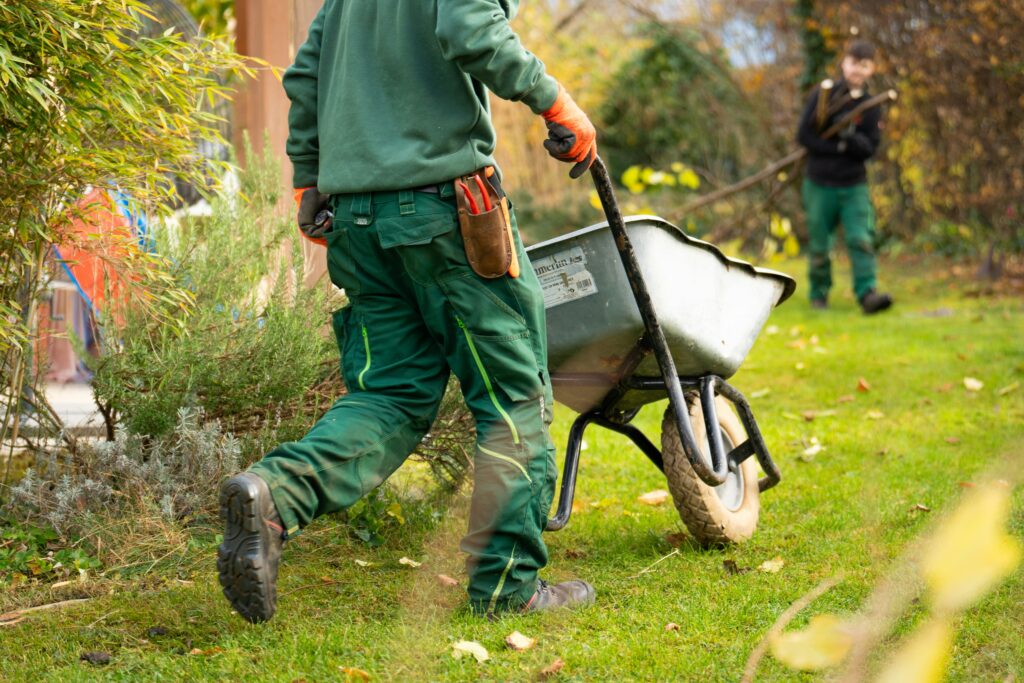
Landscaping payroll has a few wrinkles that standard payroll software wasn’t built to handle. Your headcount swings from a small winter crew to a full roster by June. Your crews work across job sites all day, rarely near a desk. Some of your installation work pays differently than your maintenance routes. And a chunk of your team may work across state lines or rely on getting paid fast.
This guide walks through what makes seasonal landscaping payroll different, how to pay seasonal crews without drowning in paperwork and what to look for in payroll software built for hourly, field-based teams. Fingercheck is a payroll, time tracking and HR platform for hourly and deskless teams that serves field businesses like construction, landscaping and lawn care, so we’ll use it as the working example where it helps, though the criteria here apply no matter which tool you choose.
What makes landscaping payroll different?
Landscaping payroll is harder than office payroll because the work is seasonal, mobile and variable. Whether you run a full-service landscaping company, a lawn care route or a grounds maintenance crew, you’re hiring and releasing workers on a tight calendar, capturing hours from the field instead of a time clock on the wall, and often running different pay structures for maintenance versus installation work, all while staying compliant with overtime and multi-state tax rules.
The specific pressure points show up every year: a spring hiring surge that buries HR in onboarding paperwork, time theft and buddy punching on dispersed job sites, profitability that’s decided property by property, crews that cross city or state lines on a single route, and the year-end scramble to get tax documents to workers who left months ago. Each one has a payroll-software answer, and the rest of this guide takes them one at a time.
How do you pay seasonal landscaping crews?
You pay seasonal crews the same way you pay year-round staff, with hourly or salary wages, taxes withheld and filed, but the volume and timing are the challenge. The work is getting a large group hired, documented and pay-ready before opening day, then offboarding cleanly at season’s end so the same people come back next spring without starting over. Seasonal labor is the backbone of the green industry: landscaping and groundskeeping is the single largest occupation in the federal H-2B temporary worker program, making up 38.3% of all certified positions in FY2025, so onboarding and paying a large temporary crew on a tight calendar is a defining part of the work.
That means three things matter more than anything else for seasonal work: fast digital onboarding so new hires complete their own paperwork before day one, a system that doesn’t penalize you for ramping headcount up and down, and clean offboarding that keeps former workers’ records accessible.
Onboarding a spring crew without the paperwork pile
The spring surge is where seasonal payroll either works or falls apart. If every new hire means HR keying in tax forms by hand, the math gets ugly fast at 15 or 50 hires.
Digital self-onboarding fixes this by putting the work in the employee’s hands. With Fingercheck, new hires complete their own I-9, W-4, direct deposit and document uploads from their phones before they reach a job site, with no duplicate data entry. A built-in applicant tracking system handles job postings and candidate screening upstream, and you can send offers and agreements with e-signature to close the hire quickly. For Spanish-speaking crews, onboarding available in Spanish in the Fingercheck mobile app.
Camp Barnabas, a nonprofit camp that hires 200-plus seasonal staff every summer, moved onboarding, payroll and time tracking onto Fingercheck and saved about 60 hours each summer on onboarding alone, plus more than $15,000 a year across payroll, onboarding and time tracking. It’s a different industry, but a similar problem: a huge seasonal crew, a tight calendar and people spread out all day. The full Camp Barnabas story has the details.
Offboarding and bringing crews back next season
When the season ends, you’ll move seasonal workers to inactive or terminated status. The thing to look for is what happens to their records afterward. With Fingercheck, former employees keep self-service access to their own pay stubs and W-2s for 18 months by default, so when it’s tax season, your off-season crew can retrieve their own tax documents from the Fingercheck web or mobile app instead of calling your office. When they return in spring, you reactivate them rather than onboarding from scratch.
Payroll software pricing also matters more than usual when your crew size swings month to month. Fingercheck charges a base fee plus a per-active-employee monthly fee with a five-employee minimum, and you get unlimited payroll runs with no per-run charge and no long-term contract. Running weekly payroll all through peak season doesn’t add fees, and you’re not locked into a contract through the slow months. The current plans and pricing have the specifics.
SEASONAL PAYROLL, ONE FLAT FEE
Built for crews that grow and shrink with the season.
Unlimited payroll runs, per-active-employee billing and no long-term contract, so peak-season pay cycles don’t cost you extra.
Tracking time for crews in the field
Crews that move between properties all day can’t punch a clock on a wall, so field time tracking lives on a phone. The risk that comes with it is time theft: punching in from the truck, drifting off-site while on the clock, or one worker punching for another.
Fingercheck’s time tracking captures punches from the mobile app with GPS tagging and photo capture, and job fencing (geofencing) restricts clock-ins to authorized job-site locations so a punch only counts when the worker is actually on the property. This kind of GPS tracking software gives you a live picture of who is working and where, without an office check-in. You can also set an off-site rule: if a clocked-in worker leaves the job site, Fingercheck can notify them to clock out, alert a manager or clock them out automatically. For a foreman running a full crew, the mobile app can punch in and transfer an entire crew at once rather than waiting on individual punches.
Knowing which jobs actually make money
In landscaping, profit is decided property by property. A route can look busy and still lose money once drive time and labor are loaded in, so connecting hours to specific jobs is how you see the truth.
Fingercheck’s job costing ties field hours to specific jobs and cost centers automatically as crews clock in, so you can separate billable field hours from shop and travel time and compare budget against actual labor cost on each property in real time. That’s the difference between knowing a job ran over and knowing why.
Paying installation crews by production: piece rate and hybrid pay
Many landscaping companies pay installation work by output, like per pallet of sod laid, per yard of mulch spread or per square foot of pavers on a hardscaping job. That’s piece rate, and most general payroll tools don’t calculate it natively. Fingercheck doesn’t either, so it’s worth knowing where the line is.
Fingercheck is built around hourly and salary pay, so it won’t calculate per-unit piece rate for you. If you run pure per-pallet or per-yard pay, you’ll total the units and rates outside the system and enter the result. Where it does fit is the model most landscapers actually use: a base hourly wage plus a production bonus. You set up a custom earning code for the production pay and assign custom job rates when workers clock into different tasks. That setup also keeps you compliant on overtime. When you pay a non-discretionary production bonus, the FLSA makes you fold it into the regular rate and recalculate overtime as a weighted average, the math that quietly breaks spreadsheet payroll. Fingercheck does that weighted-average overtime automatically, across both bonuses and multiple job rates, so the blended rate is handled inside payroll instead of by hand.
So if pure per-unit piece rate is the heart of how you pay, you’ll probably pair a production-tracking tool with your payroll. If you pay base-plus-bonus, you can run the whole thing in one place.
Handling crews that cross state lines
Routes that serve a metro spanning a state border, or commercial accounts in a neighboring state, can create tax obligations in more than one place. Multi-state payroll handles calculating, withholding and filing across those jurisdictions in a single pay cycle.
Fingercheck does this through Tax Work Locations: you assign each job a work location, and when a crew member selects that job at clock-in, their hours and taxes report to the correct state, with reciprocity handled behind the scenes. One important reality to plan for is registration: you register for a state tax ID in each state where you have a tax obligation, and the software calculates and files, but the registration is on you. The multi-state payroll guide walks through how it works.
Certified payroll for municipal and public landscaping contracts
If you win public work, like landscaping for parks, highway medians, school grounds or other government-funded projects, you’re likely subject to prevailing wage and certified payroll requirements. Prevailing wage is the minimum hourly compensation (base wage plus fringe benefits) set by the Department of Labor for the trade and location, and certified payroll is the weekly report proving you paid it, filed federally on Form WH-347.
Fingercheck supports this by letting you configure prevailing wages by trade classification and job location, applying the correct rate when a worker clocks into a covered project and generating compliant WH-347 and certified payroll reports from the hours already captured. If a worker splits a week between a public project and private work, the system tracks each set of hours at its correct rate, the split-time scenario that breaks manual processes.
Earned wage access: a retention lever for a tight labor market
Reliable field labor is hard to attract and keep, and faster pay has become a real recruiting and retention tool. Earned wage access lets workers draw a portion of wages they’ve already earned before payday.
Fingercheck’s Pay On-Demand lets enrolled employees access up to 50% of earned wages ahead of payday, with three payout options: Instant to Bank (Express) for workers whose bank supports real-time payments, Instant to PayCard for workers without a bank account and a standard next-day bank transfer. Because Fingercheck funds the advance and reconciles it on the next payroll run, there’s no cash-flow cost to you as the employer, and it’s not a loan, so there’s no interest or debt for the worker. Rather than showing a rough percentage of gross pay, Fingercheck’s approach calculates the actual amount available after taxes and deductions, which helps avoid the “why is my paycheck smaller?” surprise. The PayCard option also matters for landscaping specifically, where a meaningful share of seasonal workers may be unbanked.
Pay On-Demand isn’t available everywhere, though. Employees in California, Connecticut, Kansas, Missouri, Nevada, South Carolina and Utah are currently ineligible, and Wisconsin, Maryland and Indiana require a free ACH option. It’s worth checking availability for the states you operate in.
Does QuickBooks work for landscaping payroll?
QuickBooks is excellent at accounting, and many landscaping businesses run their books there. What it isn’t built for is field-based time capture, crew-level job costing and the operational side of paying mobile crews, which is why most landscaping operations end up running a stack: an accounting system, a field or scheduling tool and a payroll and time platform that connects them.
Fingercheck fits that stack as the payroll, time tracking and HR layer, and it integrates with QuickBooks (along with Sage and Rent Manager) so payroll data flows into your books without manual re-entry. Because time, scheduling and payroll live in one connected system, the errors that usually hide in the gaps between separate tools, like hours that don’t match the paycheck or a missed punch nobody caught, don’t get a chance to start. Fingercheck covers the labor side, while the routing and estimating live in a landscaping CRM like Jobber, Aspire or LMN, so each tool does the job it’s built for.
What to look for in landscaping payroll software
If you’re evaluating software tools for a landscaping, lawn service or grounds maintenance business, these are the criteria that actually matter for a seasonal, field-based crew, rather than a generic feature list:
- Mobile, field-first time tracking with GPS and geofencing, so hours are captured accurately on the property and time theft is controlled.
- Job costing that ties hours to specific properties, so you can see real labor cost and profit per job.
- Fast digital onboarding, ideally bilingual, so a spring crew is pay-ready before day one.
- Seasonal-friendly pricing, with unlimited payroll runs and per-active-employee billing, so frequent pay cycles and headcount swings don’t punish you.
- Multi-state payroll if your routes or accounts cross state lines.
- Certified payroll and prevailing wage support if you bid on public contracts.
- Earned wage access as a recruiting and retention benefit.
- QuickBooks integration, so payroll data reaches your accounting system without double entry.
- Responsive support. When payroll breaks the night before payday, you want a real person on the phone fast, not a ticket queue. Fingercheck answers support calls with a live expert in under a minute on average.
Common payroll mistakes landscaping companies make
- Misclassifying seasonal or temporary workers as contractors when they’re employees, which creates tax and liability exposure.
- Getting prevailing wage wrong on public contracts. Using the wrong classification or an outdated wage determination is a common, costly certified-payroll error.
- Letting time theft go unchecked on dispersed job sites, which quietly drains margin through inflated hours and buddy punching.
- Running multi-state by hand, which leads to withholding errors when crews cross jurisdictions.
- Treating piece rate as if standard payroll calculates it. Production pay and the FLSA weighted-average overtime it triggers need a deliberate setup, not a flat dollar guess.
Run landscaping payroll from the field.
GPS time tracking, job costing and certified payroll in one platform, with a real support expert on the phone in under a minute.